How AI Saved My Business: 15 Best Free AI Tools for Small Business Automation in 2026 — Tested, Compared & Ranked
According to a 2025 McKinsey survey, small businesses that adopted AI automation reduced operational costs by an average of 23% within the first year, yet fewer than 30% of businesses with under 20 employees have deployed even one AI tool. The gap between those who automate and those who don’t is widening fast.
This guide cuts through the noise. We have tested and compared 15 tools across five critical business categories including customer support, marketing, finance, workflow, and local SEO, and built a clear picture of what actually works for small businesses in 2026, including what each tool costs, where it falls short, and exactly who it’s best for.
Who this guide is for
Owners and operators of small businesses (1–25 employees) who want to reduce time spent on manual tasks, lower costs, and grow without hiring large teams. No technical background required.
Quick navigation
Customer support & CRM automation tools
Marketing & content creation AI tools
Finance & bookkeeping automation tools
Workflow & productivity automation tools
Local SEO & reputation management tools
All 15 tools at a glance comparison table
Use this table to quickly shortlist tools that match your needs and budget before diving into the full reviews below.
15 Best Free AI Tools for Small Business — 2026
Tested and ranked across customer support, marketing, finance, workflow & local SEO.
| Tool | Category | Free Plan | Paid From | Best For | Rating |
|---|
* Pricing as of April 2026. Free plan limits vary — always verify on the tool’s official pricing page before committing.
* Pricing as of April 2026. Free plan limits vary — always verify on the tool’s official pricing page.
1. Customer support & CRM automation tools
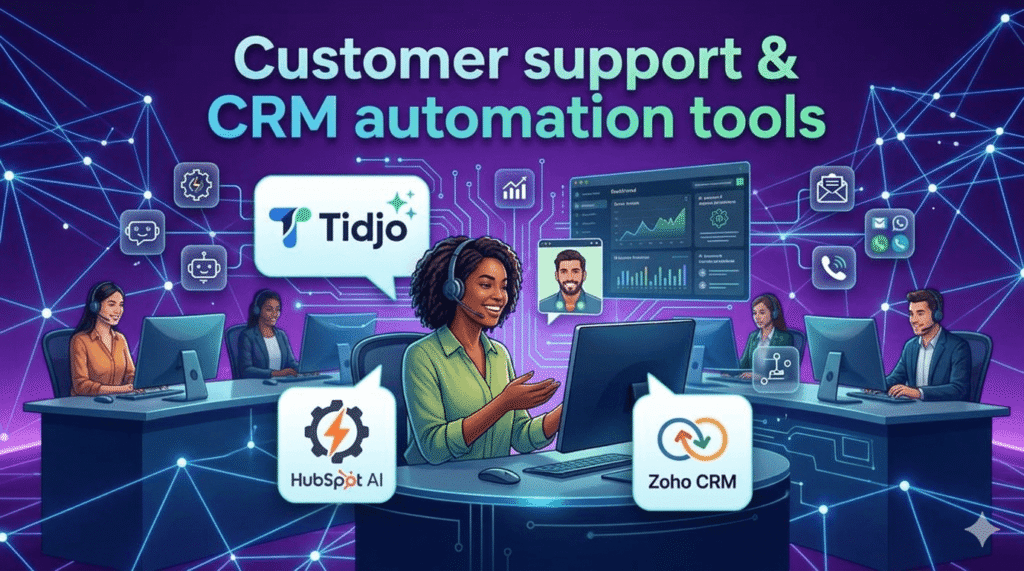
Losing a lead because no one responded fast enough is one of the most common and preventable revenue leaks in small business. Studies show that responding to a web inquiry within 5 minutes makes you 9× more likely to convert that lead. The three tools below automate that first response automatically, around the clock.
1. Tidio AI—chatbot for instant customer support
Tidio’s Lyro AI handles up to 70% of customer questions automatically using conversational AI trained on your own FAQ content. Unlike basic chatbots that rely on rigid decision trees, Lyro understands natural language so it handles questions your script didn’t anticipate. Setup takes under 30 minutes for most platforms including Shopify, WordPress, and Wix.
- Lyro AI resolves up to 70% of queries without human handoff
- Live chat fallback so agents see conversation history instantly
- Visitor tracking shows which product pages trigger the most questions
- Mobile app lets you step in from anywhere if a query escalates
- Limitation: free plan caps at 50 conversations per month, a busy store will hit this quickly
| Real-world example A Birmingham-based home décor shop integrated Tidio after spending 3+ hours per day answering the same 12 delivery and returns questions. Within two weeks, Lyro was handling 68% of those queries automatically, freeing the owner to focus on supplier negotiations. Response time dropped from 4 hours to under 2 minutes. |
2. HubSpot—CRM free all-in-one sales & marketing platform
HubSpot’s free CRM is genuinely one of the most powerful free tools in business software — not a stripped-down trial. You get contact management, deal pipelines, email tracking, meeting scheduling, and live chat all in one dashboard. The AI features (available on paid tiers) add predictive lead scoring and email performance suggestions. For most small businesses, the free plan is sufficient for years.
- Unlimited contacts and users on the free plan, rare among CRMs
- Email open and click tracking with automatic activity logging
- Visual sales pipeline that updates as deals progress
- Automated follow-up sequences to nurture leads without manual effort
- Limitation: marketing automation and advanced reporting require paid plans
| Real-world example A freelance web design studio with one owner and two part-time contractors used HubSpot to automate their entire proposal follow-up process. They built a 4-step email sequence that triggered automatically after sending a quote. Close rate improved from 22% to 34% in 90 days — attributed to consistent follow-up that previously fell through the cracks. |
3. Zoho—CRM budget-friendly CRM with built-in AI
Zoho CRM’s built-in AI assistant, Zia, does things most CRMs charge heavily for: it predicts which leads are most likely to convert, flags unusual sales patterns, and auto-enriches contact records from email signatures. The free plan is limited to 3 users but includes a surprising amount including custom fields, web forms, and basic automation rules. For small sales teams just getting organised, it’s the most capable free starting point after HubSpot.
- Zia AI scores leads and predicts deal close probability
- Workflow rules automate repetitive actions like task creation and email alerts
- Blueprint feature maps your exact sales process to enforce consistency
- Strong mobile app with offline access for field sales teams
- Limitation: steeper learning curve than HubSpot; onboarding takes longer
| Real-world example A small recruitment agency with three consultants switched to Zoho CRM from spreadsheets after missing two placements due to lost follow-up notes. After setting up Zia’s lead scoring and basic workflow automation, their average time-to-placement dropped by 11 days and no follow-up was missed in the following quarter. |
2. Marketing & content creation AI tools
Content marketing generates 3× more leads per pound spent than outbound marketing, but consistent content creation is the number-one reason small businesses fall behind. These three tools tackle different parts of the content workflow: writing, visual design, and ad copy.
4. ChatGPT AI—writing assistant for content and communications
ChatGPT is the most flexible AI writing tool available. Used well with specific prompts, business context, and editing, it can produce first drafts that rival junior copywriters. The key word is first drafts: ChatGPT output needs editing for accuracy and brand voice. GPT 4o available on the $20 per month Plus plan is noticeably sharper for business writing than the free version. The biggest productivity win is for repetitive writing tasks including monthly newsletters, product descriptions, FAQ pages, and social content calendars.
- Produces full blog drafts, social media calendars, and email sequences in minutes
- Custom instructions let you set your brand tone permanently
- Handles multilingual content for businesses with international customers
- GPT-4o can analyse spreadsheet data and images, expanding use cases
- Limitation: outputs require fact-checking; it confidently produces inaccuracies
| Real-world example A personal trainer running group fitness classes used ChatGPT to build a 3-month Instagram content calendar in a single afternoon. She used a detailed prompt including her target audience (women 35–50), tone (motivational but not pushy), and content pillars (nutrition, mindset, workout tips). She now spends 45 minutes per week scheduling — down from 5+ hours. |
5. Canva AI—powered design tool for non-designers
Canva’s Magic Design and AI image generation tools have significantly reduced the skill barrier for professional-looking marketing visuals. The Brand Kit feature (Pro) is particularly powerful for small businesses: lock in your logo, colours, and fonts so every team member creates on-brand content automatically. The social media scheduler means you can design and publish from one place. For non-designers, this is the single most impactful design investment available.
- Magic Design generates full template variations from a single prompt or image
- Background remover works reliably on product photos, no Photoshop needed
- Brand Kit enforces visual consistency across all content (Pro plan)
- Built-in scheduler publishes directly to Instagram, Facebook, LinkedIn, and Pinterest
- Limitation: heavy use of popular templates means your content may look like competitors’
| Real-world example An independent coffee shop owner used Canva Pro to create a consistent visual identity after years of mismatched posts. She set up a Brand Kit with her brand colours and fonts, built 20 reusable post templates, and now creates a week of social content in under an hour every Sunday. Follower engagement rate increased 41% over three months. |
6. Copy.ai — AI copywriting for ads and short-form content
Copy.ai specialises in short-form marketing copy — the area where ChatGPT often produces content that’s too long or too generic. Its product description generator, ad copy variants, and email subject line tools are trained specifically on high-converting marketing language. The Workflows feature (on paid plans) can automate full content pipelines: input a product URL and get 10 ad variants, 5 email subject lines, and a landing page draft in one run.
- Generates 10+ ad copy variants at once for A/B testing
- Purpose-built templates for Google Ads, Facebook Ads, Amazon listings
- Tone selector produces different versions (professional, friendly, urgent) from one input
- Workflows automate multi-step content production
- Limitation: free plan’s 2,000 word limit is consumed quickly; paid plan is pricey for small budgets
| Real-world example An e-commerce seller with 120 Etsy listings used Copy.ai to rewrite all product descriptions in one weekend. Using the product description template with SEO keywords and her brand voice settings, she processed all 120 listings in 4 hours. Organic search traffic to her shop increased 28% in the following month. |
If your focus is marketing, we’ve also covered the best free AI tools for digital marketing in a separate guide.
3. Finance & bookkeeping automation tools
Manual bookkeeping costs the average small business owner 5–8 hours per month and is the leading cause of cash flow surprises. These tools automate the financial admin that drains your time without requiring an accounting degree.
7. Wave—completely free invoicing and bookkeeping
Wave is the only full-featured accounting platform that remains free for its core functions indefinitely, not a trial. For freelancers and micro-businesses (under 10 employees), it covers 90% of financial needs: invoicing, expense categorisation, bank import, and financial reports. The payments feature (fee-based, not subscription) lets clients pay invoices directly by card or bank transfer. The main limitation is scalability: once you need multi-currency, inventory, or advanced tax tools, Wave becomes limiting.
- Unlimited invoices, customers, and transactions with no subscription fee
- Bank and credit card connections import transactions automatically
- Profit & loss and balance sheet reports generated in real time
- Receipt scanning via mobile app eliminates paper receipts
- Limitation: payroll only available in US and Canada; no inventory management
| Real-world example A freelance graphic designer billing 8–12 clients per month moved from chasing PayPal payments to Wave invoicing with automated payment reminders. Average payment time dropped from 22 days to 8 days. She estimates Wave saves her 3 hours of admin per month at zero cost. |
8. QuickBooks—advanced accounting for growing businesses
QuickBooks is the industry standard for a reason, it handles complexity that free tools can’t: VAT returns, multi-currency invoicing, inventory management, job costing, and payroll. The AI categorisation learns your spending patterns and becomes more accurate over time. If your accountant or bookkeeper works with any clients, they almost certainly use QuickBooks, which makes collaboration seamless at tax time. The cost is real, but so is the time saving for businesses with more than 20 monthly transactions.
- Automatic bank reconciliation with AI-powered transaction categorisation
- VAT tracking and one-click VAT return preparation (UK version)
- Mileage tracking via mobile app for business travel deductions
- Integrates with 750+ apps including Shopify, PayPal, and Stripe
- Limitation: no free plan; pricing adds up quickly as employee count grows
| Real-world example A small plumbing business with 4 employees and 30–40 jobs per month switched from spreadsheets to QuickBooks. The owner’s accountant estimated they previously had £4,200 in unclaimed expenses annually due to lost receipts. With QuickBooks’ receipt capture and automatic categorisation, all expenses are now captured. The software paid for itself within the first quarter. |
9. FreshBooks—invoicing and time tracking for service businesses
FreshBooks is designed specifically for service businesses consultants, agencies, lawyers, contractors where time tracking and project-based billing are central. Its invoice-to-payment flow is the smoothest of any tool in this category: create a project, track time against it, convert to an invoice, get paid. Automated late payment reminders and retainer management make it ideal for businesses with recurring clients. It’s narrower in scope than QuickBooks but considerably easier to use.
- Built-in time tracker connects directly to invoicing for accurate billing
- Automatic payment reminders reduce late invoices significantly
- Client portal lets customers view invoices, pay, and message you in one place
- Retainer billing for recurring clients with automatic invoicing
- Limitation: client limits on lower plans are restrictive; no inventory tracking
| Real-world example A two-person marketing consultancy was consistently under-billing because hours weren’t tracked accurately. After switching to FreshBooks and logging all time against client projects, they discovered they were working an average of 11 billable hours per month they hadn’t invoiced. Recovering those hours added over £800/month in previously lost revenue. |
4. Workflow & productivity automation tools
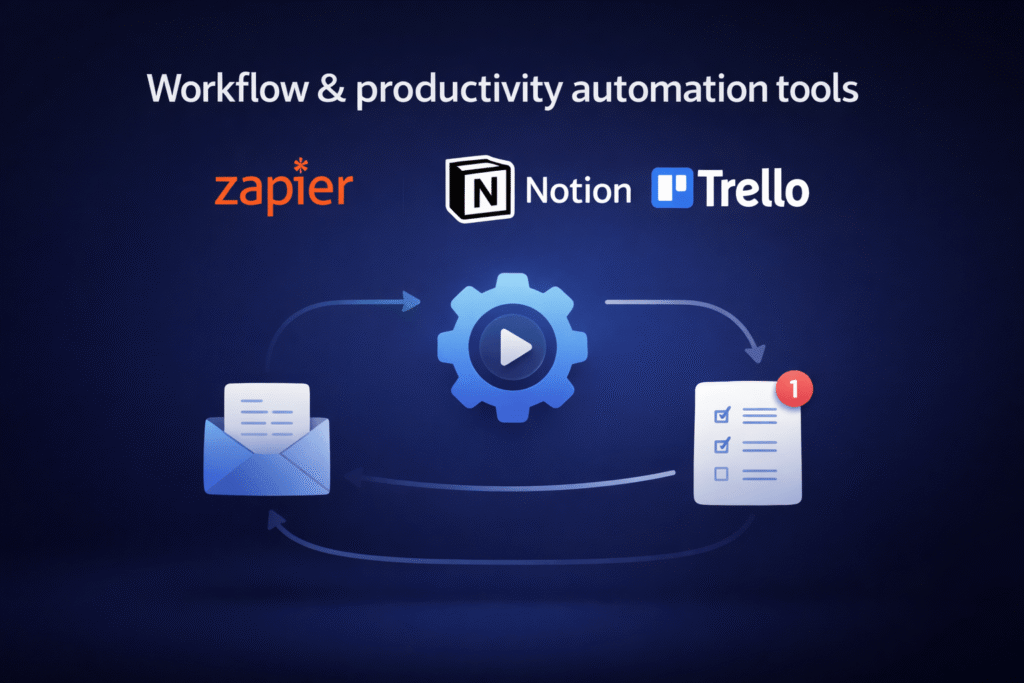
Every small business runs on repetitive processes sending welcome emails, updating spreadsheets and moving tasks between stages. Automating even three or four of these workflows can save 5+ hours per week. These tools do that without requiring a developer.
10. Zapier no-code automation connecting 7,000+ apps
Zapier is the connective tissue between all your other tools. It works on a simple trigger-action logic: when something happens in App A, do something in App B. The magic is in combining multiple steps, a new Shopify order triggers a Slack notification, creates a Google Sheet row, and sends a personalised thank-you email, all automatically. The 7,000+ app library means almost any combination is possible. The free plan’s 100-task monthly limit is enough to test three or four workflows before deciding to upgrade.
- Connects virtually any combination of apps without code
- Multi-step Zaps handle complex workflows with filters and conditional logic
- Templates library provides ready-made workflows for common business scenarios
- Error monitoring alerts you when a Zap fails so nothing slips through
- Limitation: task limits on free and lower plans; complex workflows burn tasks quickly
| Real-world example A small event management company used Zapier to automate their entire client onboarding. When a new contract was signed in DocuSign, Zapier automatically created a project in Asana, sent a welcome email from Gmail, added the client to HubSpot CRM, and created a folder in Google Drive. A process that took 25 minutes now takes zero human minutes. |
11. Notion AI all-in-one workspace with built-in AI
Notion AI transforms what would otherwise be a strong project management tool into an intelligent workspace. The AI can summarise meeting notes, generate action items, draft SOPs from bullet points, and answer questions about your own stored documents. For small teams that currently use a combination of Google Docs, Trello, Slack notes, and email threads, consolidating into Notion creates significant clarity. The AI add-on ($10/mo on top of Plus) is worth it specifically for its document Q&A feature, ask questions about your own internal knowledge base.
- AI summarises long documents, meeting notes, and project updates instantly
- Linked databases connect tasks, clients, projects, and notes intelligently
- Custom templates build repeatable processes for onboarding, launches, reviews
- AI drafts content directly inside any page without switching tools
- Limitation: initial setup is time-intensive; requires deliberate structure to avoid chaos
| Real-world example A 6-person digital marketing agency moved their entire operations into Notion over three months. They built a client portal template, a campaign tracking database, and an SOPs wiki. The team reported spending 30% less time searching for information and 40% fewer ‘where is that document?’ messages in Slack. |
12. Trello—visual task management with built-in automation
Trello’s simplicity is its greatest strength. The Kanban board format cards moving through columns is immediately intuitive for anyone unfamiliar with project management software. Butler, Trello’s built-in automation, handles rule-based actions: when a card is moved to ‘In Review’, assign it to the editor and set a due date 48 hours from now. No third-party tool needed. For small teams managing content, orders, or client work with clear stages, Trello is the quickest tool to get up and running effectively.
- Butler automation creates rules, buttons, and scheduled commands without code
- Card templates standardise how new tasks are created across the team
- Power-Ups integrate with Slack, Google Drive, Calendly, and more
- Calendar and timeline views available on paid plans for deadline management
- Limitation: not suited for complex projects with dependencies; scales poorly for large teams
| Real-world example A small PR firm used Trello to manage their editorial calendar after missing two client press release deadlines. They built a board with columns for Briefing, Drafting, Client Review, Approved, and Published. Butler automation assigned the right team member when a card entered each stage. No deadline was missed in the six months following setup. |
5. Local SEO & reputation management tools
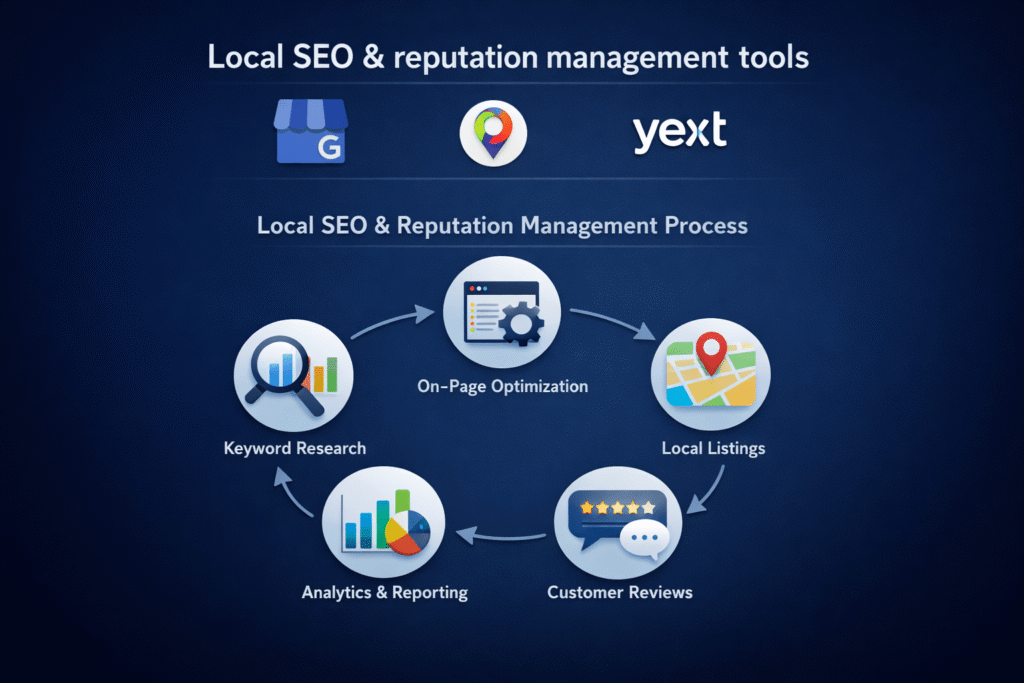
For brick-and-mortar businesses and local service providers, appearing at the top of ‘near me’ searches is the highest-ROI marketing activity available. These tools manage the signals Google uses to rank local businesses without requiring an SEO agency.
13. Google Business Profile the foundation of local SEO
Google Business Profile (GBP) is non-negotiable for any local business. It controls what potential customers see before they even visit your website: hours, photos, reviews, Q&A, and posts. Businesses with complete, regularly updated profiles appear more prominently in Google Maps and the local pack. The single highest-impact action most small businesses haven’t taken: responding publicly to every review, positive or negative. Google’s algorithm factors in review engagement, and customers read owner responses before deciding to visit.
- Complete profiles (with photos, hours, services, and posts) rank significantly higher
- Google Posts (offers, events, updates) appear directly in search results
- Q&A feature lets you pre-answer common questions and you can write both question and answer
- Insights dashboard shows how customers found you and what actions they took
- Limitation: a single spammy or fraudulent review can significantly damage ranking; requires active monitoring
| Real-world example A local locksmith in Manchester optimised their GBP listing: added 40 photos, wrote detailed service descriptions with local keywords, and responded to all 63 existing reviews. Within 8 weeks, calls from Google Maps increased from 12/month to 47/month — without any paid advertising spend. |
14. BrightLocal local rank tracking and review management
BrightLocal local rank tracking and review managementBrightLocal is purpose-built for local SEO in a way that broader tools like SEMrush or Ahrefs are not. Its Local Search Grid shows your ranking across a geographical area not just ‘position 3 for X keyword’ but ‘position 3 in this postcode, position 7 in that one’. This matters for businesses serving customers across a town or region. The review monitoring tool aggregates reviews from Google, Yelp, Facebook, and 80+ other platforms into one dashboard with alert notifications.
- Local Search Grid maps ranking positions across a geographic area visually
- Citation Tracker identifies inconsistent business listings that hurt rankings
- Review monitoring covers 80+ platforms with email/Slack alerts for new reviews
- White-label reporting ideal for agencies managing multiple local clients
- Limitation: no free plan; best suited for businesses already investing in local SEO
| Real-world example A dental practice with two locations used BrightLocal to discover their Google Maps ranking dropped sharply one mile east of their surgery right in a neighbourhood they’d identified as a target area. The issue was inconsistent NAP (name, address, phone) data across 14 online directories. After fixing citations, rankings in that area improved from position 8 to position 3 within six weeks. |
15. Yext automated listing management across the web
Yext solves a specific and expensive problem: keeping your business information consistent across hundreds of directories, maps, and apps simultaneously. When you change your hours, phone number, or address, Yext pushes the update everywhere at once including Google, Apple Maps, Bing, Yelp, Facebook, TripAdvisor, and 200+ more. For businesses with a single location and a stable address, the cost may not be justified. For multi-location businesses or any business that changes hours frequently (seasonal, holiday), Yext pays for itself in saved admin time.
- Single dashboard pushes updates to 200+ platforms simultaneously
- Duplicate listing suppression removes conflicting entries that confuse Google
- Review response tools let you reply to multi-platform reviews from one inbox
- Analytics show how often your listing appears and drives clicks across all platforms
- Limitation: expensive relative to alternatives; listing management stops if subscription lapses
| Real-world example A franchise restaurant group with 8 locations spent approximately 6 hours per week manually updating listings when promotional hours changed. After moving to Yext, that work reduced to 15 minutes one update pushed to all locations and all platforms at once. They calculated annual time savings of over 300 hours across their management team. |
How to build your automation stack: a step-by-step approach
The businesses that succeed with AI automation don’t try to deploy 15 tools at once. They follow a deliberate sequence that builds momentum without overwhelming operations. Here is the approach we recommend.
- Google Business Profile: Improve local visibility and appear in search and maps
- HubSpot CRM: Manage contacts, track leads, and organize customer data
- Wave: Handle invoicing, payments, and basic accounting
- Canva: Create professional visuals and marketing content
- Zapier (free tier): Connect your tools and automate workflow
Thise tools are free and cover the five highest-leverage automation areas.
Step 1: audit your time (week 1)
Before choosing any tools, track how you spend your time for one week. Log every task that takes more than 15 minutes. You’re looking for repetitive tasks that follow a predictable pattern, those are your automation targets. Most small business owners discover 3–5 tasks that consume 40–60% of their admin time and follow the same pattern every week.
Step 2: match tasks to categories, not tools (week 1–2)
Resist the urge to start with the tool that received the most press coverage. Instead, match your highest-volume tasks to one of the five categories in this guide. If your biggest time sink is answering the same customer questions, start with Category 1. If it’s content creation, start with Category 2. Deploy one category at a time.
Step 3: start with free tiers and set a 30-day test (weeks 2–6)
Deploy the free version of your chosen tool and define a single measurable outcome to hit within 30 days. Examples: response time under 2 minutes, 5 scheduled social posts per week, or zero missed invoice follow-ups. A concrete target prevents aimless exploration and gives you a clear decision point for upgrading.
Step 4: measure before upgrading (day 30)
At the 30-day mark, review your single metric. If you hit it: consider upgrading to unlock more capacity. If you didn’t: diagnose why before spending money. Usually the issue is not the tool — it’s incomplete setup, inconsistent use, or the wrong category priority.
Step 5: layer in a second category (month 2–3)
Once one automation is running reliably, add a second. This staged approach ensures each tool is properly embedded before you introduce complexity. Most small businesses are fully productive with two or three well-chosen tools rather than a sprawling set that nobody uses consistently.
| Common mistake to avoid The most frequent reason AI automation fails in small businesses is tool sprawl — subscribing to 6+ tools in the first month before any of them are properly set up. Start narrow, go deep, then expand. |
Frequently asked questions
Are free AI tools actually good enough for a real business?
How much time can I realistically save using these tools?
Do I need technical skills to use these tools?
Which tool should I start with if I have no automation at all?
Is AI-generated content safe to publish? Will Google penalise it?
What’s the difference between Zapier and the built-in automation in tools like HubSpot or Trello?
How do I know if a tool is worth paying for?
Conclusion
The small businesses that thrive in 2026 won’t necessarily be the ones with the biggest teams or the biggest budgets. They’ll be the ones that systematically remove the manual bottlenecks that slow growth using tools that are, in many cases, free.
The 15 tools in this guide cover every operational layer of a small business. You don’t need all of them. Identify your two or three biggest time drains, deploy the right tool for each category, and measure the outcome. Then expand from there.